
Going home


ROLE
UI/UX Designer ▪ Programmer ▪ UI Artist
Software
Unity ▪ Photoshop ▪ Figma ▪ C# ▪ Github
PLATFORM
PC (STEAM)
Timeline
December 2024 - August 2025
Main Menu


Final Iteration
Unity's particle system was good for showcasing the UI visual direction, but I had limited control over it.
I pivoted to creating my own nebulae and star clusters in Photoshop. From there, I wrote several scripts that handled the fade-in and moving effect seen in the GIF.
Settings & Credits

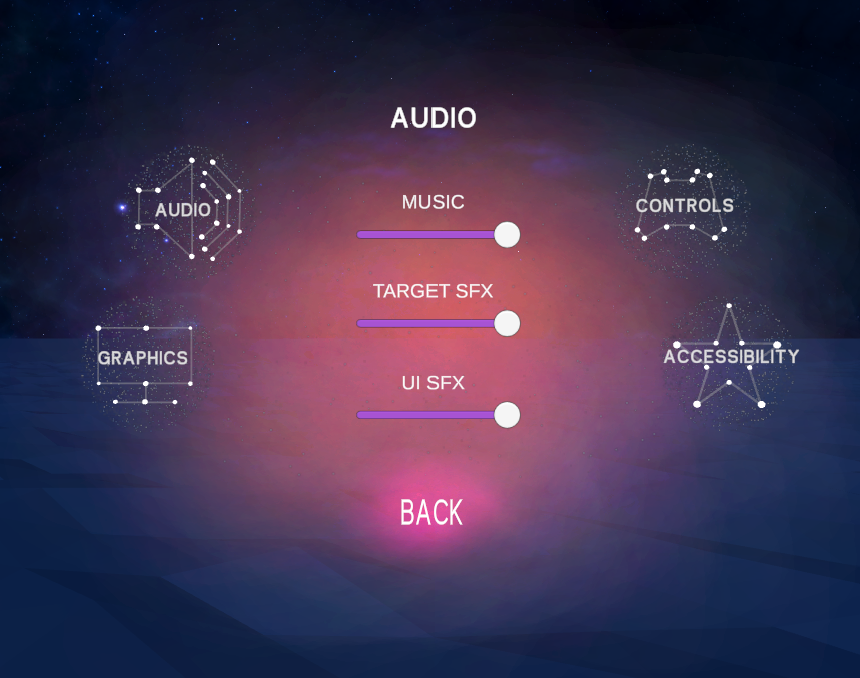


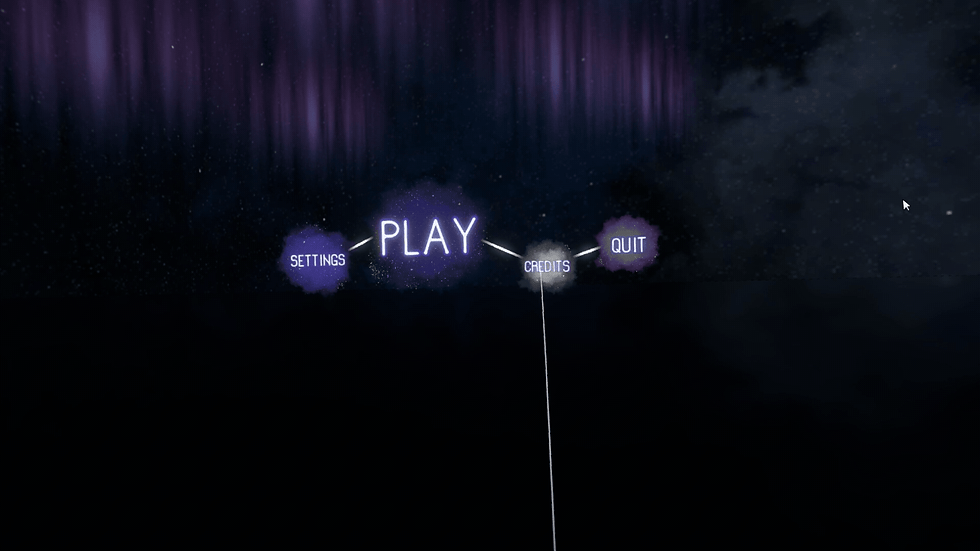
Settings - Final Iteration
I designed new art for the star clusters used to form the buttons and backdrop for the settings. This move followed my desire to utilize UI images for visuals instead of particle systems. With this, I had more flexibility to make the transitions scene in the clip.
I removed the nebula highlight entirely as it didn't visually flow as well as I'd hoped.
Sliders were becoming finicky to use for players, so I added buttons that would change the value of the sliders when pressed. Testing proved this was the smoother option.
Level Select


Final Iteration
I spent time researching and experimenting with a carousel-style setup to cycle through levels. This was achieved by having each level move between select positions. That was the hard part; it was time to make it smooth to navigate and implement the ideas I sketched out.
Once it was done, I was left with something I’m proud of, and testers reacted very positively to the simplicity of navigation and clarity in which level are portrayed. Needless to say, the level select became unrecognizable…in a good way!
HUD


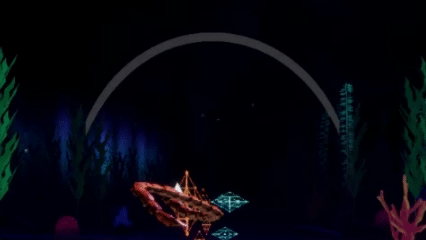
Final Iteration
No more segments; instead, it would be one seamless bar. I chose to keep it minimal and have it curve downwards to hug the player’s upper vision to mitigate distraction away from the targets.
Testing proved this was a comfortable and easy-to-read design and position.
Interactions


Sub-Menu Buttons
When clicking on a sub-menu button, the constellation will trace along the stars to form the button icon using sliders.
I created a simple script to attach to every sub-menu button for this effect. The same principle was applied to how I tackled menu navigation and the main menu buttons.


Evolution
I scripted all the UI functionality. This ranged from menu/scene transitions, button functionality, and various accessibility settings. My scripting techniques were crude at the beginning, but throughout the project learned a lot.
Seen above is a script I eventually streamlined. Instead of showing or hiding the different settings, I created a method to cycle through each setting depending on the button pressed. The menu index number I assign to a button corresponds to the numbered placement of the settings menu within the settings menu list. If we want more buttons, scripting-wise, it’s as easy as adding a menu to the list and assigning the corresponding number to the new button.
Scripting


In Game Menus


Pause Menu - Final Iteration
I had a constellation trace into a diamond that then projected the pause menu with a video of our main menu environment serving as the backdrop. The shape and overall style were far more consistent with the rest of our UI.
Intro & Tutorial


Intro Splash
The setting is completely dark, but is punctuated by the bright light of the splash images. It’s a bit eerie, but the images slowly fade in and out, putting the player’s mind at ease. This is how I wanted to set the game's tone. Mysterious, yet calming.
Postmortem
Taking everything I learned from my solo project, Balatro Monopoly, I managed to create a UI/UX design pipeline that led to a constant stream of on-time or early deliverables and higher quality work. Making use of sketching, wireframes, flowcharts, and continuing to create fast, in-engine prototypes were all integral to this pipeline.
Frequent player testing was the key to getting these designs and overall player experience to where they are. It also helped with making on-the-fly changes based on live feedback.
I'm proud of the work the team and I did on this project, and I've been continuing to refine my design and pipeline methodology ever since. Check the game out on STEAM for more details and to try the game out yourself!
Overview
This is a VR rhythm-like game with an emphasis on meditation and abstract visuals. It follows Zephyr (the player character) as greater cosmic forces cast him down due to his pride into a plane of existence where he can explore the experiences of those he deems lesser. Rediscovering oneself is at the heart of the narrative, leading to rebirth.
My goal for the UI and UX in this project and all my projects is to push visual and conceptual boundaries while always ensuring clarity, ease of use, and comfort.